Renter-Friendly Ideas
Easy Ways to Hide Cords in a Rental
Simple, renter-friendly ways to manage visible cords around desks, TVs, nightstands, and charging areas.
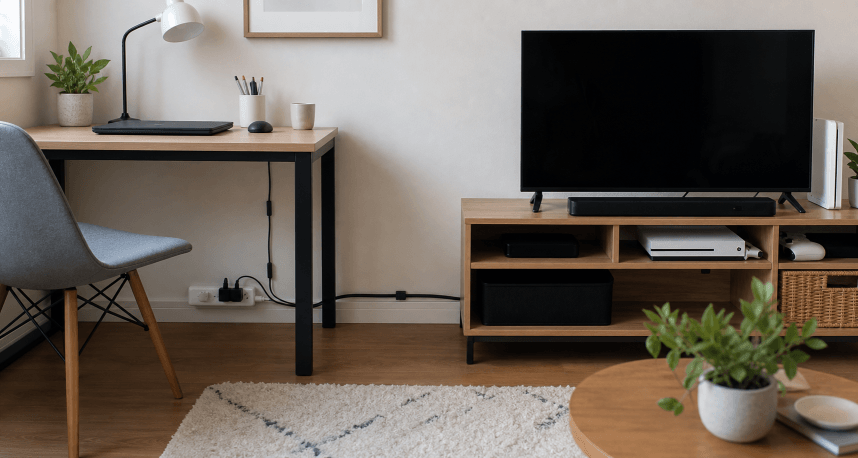
Visible cords can make a rental feel messy even when the room is otherwise tidy. Desk chargers, lamp cords, TV cables, router wires, and nightstand plugs often cross the floor or hang from furniture because the outlets are not where the furniture wants to be.
Cord management in a rental should be tidy, removable, and cautious. Avoid blocking ventilation, straining plugs, covering power strips, or creating trip hazards. Follow product instructions for any clips, channels, ties, or power accessories.
Start By Removing Dead Cords
Before hiding anything, identify what is actually in use. Unplug chargers that do not match current devices. Remove old cables from drawers, baskets, and behind furniture. Keep only what has a clear purpose.
For uncertain cords, create one small labeled bag or box and review it later. Do not let unknown cords live permanently beside the desk.
Fewer cords are easier to manage than hidden piles.
Move Furniture Closer To Outlets When Possible
Sometimes the cleanest cord solution is layout. A desk six inches closer to an outlet may remove the need for a cord crossing the floor. A lamp on the other side of the sofa may plug in more neatly. A charging spot near the bed may work better on the outlet side.
Before buying cord covers, test the room. Move the furniture slightly and check whether the cord path becomes shorter and safer.
Bundle Loose Cords
Use simple ties, wraps, or clips to gather extra cord length. Keep the bundle loose enough that cords are not sharply bent or strained.
Do not bundle cords tightly around power bricks that need airflow. Do not hide heat-generating items under blankets, rugs, or paper. If something feels warm in normal use, keep it visible and ventilated.
The goal is to remove dangling loops, not trap electrical items where they cannot be checked.
Use Furniture To Screen Cords
Furniture can hide cords without attaching anything to the wall. Run cords down the back leg of a desk, behind a nightstand, along the back of a media console, or inside an open-backed shelf.
Adhesive clips may help guide a cord along furniture. Test placement and follow removal instructions, especially on painted or delicate surfaces.
Keep cords out of drawer tracks, door hinges, and places where furniture may pinch them.
Try Removable Cord Channels Carefully
Cord channels can make a rental look neater, especially around desks and TV areas. Choose removable options only if they suit the wall surface and lease rules.
Before installing, plan the path. A straight vertical or horizontal run usually looks calmer than a winding path. Avoid placing channels where they will be bumped often.
Follow the product’s weight, surface, and removal directions. If the wall paint is fragile or textured, furniture-based routing may be safer than adhesive channels.
Create One Charging Zone
Small homes get cord clutter when every room has a half-charging setup. Create one main charging zone for phones, earbuds, watches, and small devices.
Use a tray, drawer, shelf, or box with enough ventilation for the devices and chargers. Keep only active chargers there. Label cords if several look alike.
If charging happens by the bed, keep the nightstand surface limited. A cord clip can keep one cable from falling, but it should not invite five devices to live there.
What To Avoid
Avoid running cords under rugs where they can be stepped on or hidden from inspection. Avoid overloading outlets or daisy-chaining power strips. Avoid forcing furniture tight against plugs.
Avoid making cords so hidden that unplugging or checking them becomes difficult. Tidy should still be accessible.
Keep Reading
- How to Organize a Small Home Office in a Shared Room
- Renter-Friendly Ways to Make a Small Apartment Feel More Finished
- Damage-Free Ways to Hang Everyday Items